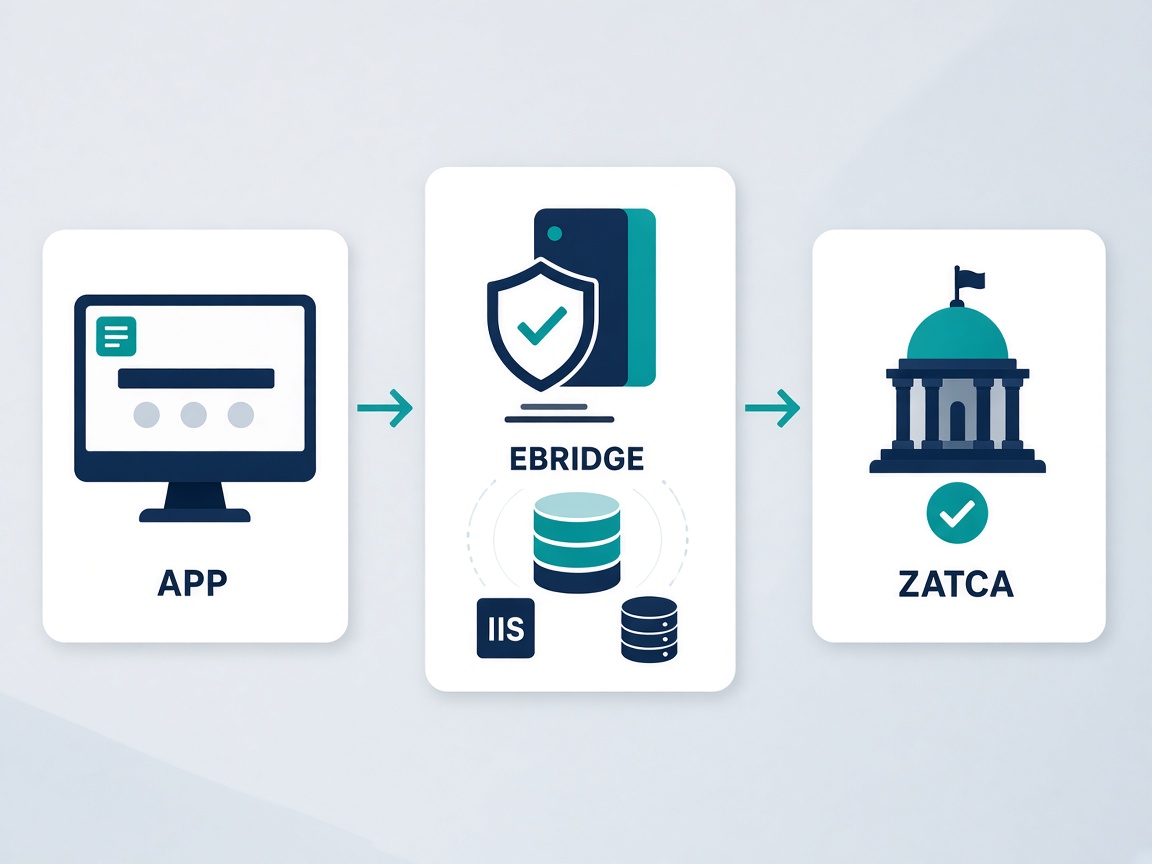
EBridge is ZATCA Phase 2 e-invoicing gateway software. It installs in the client environment (invoice traffic does not have to live in our cloud). It takes the invoice from your system, prepares it for Fatoora, signs it, submits clearance or reporting, and returns the outcome to your app.
The connecting application never calls ZATCA. No Fatoora certificates inside the ERP. No rebuilding UBL in every release. EBridge is the only layer that talks to the Authority. Keys stay with the client, and invoices sit in the SQL Server database the installer creates.
Who is it for?
Anyone who sells or runs a system that issues invoices in Saudi Arabia and needs Phase 2 compliance without turning the product into a ZATCA science project.
ERP and accounting vendors
Add ZATCA to the product map with one integration. Do not staff an internal team for every Fatoora spec change.
POS and retail chains
Simplified invoices and clearance stay behind the counter. The POS posts to EBridge and shows status — not a ZATCA console.
System integrators
Install once at the client, connect the app with an eb_ key, and deliver a shorter, cleaner project.
Merchants with an existing system
If you already have invoicing or accounting software, EBridge adds the Authority layer without replacing what you use today.
How does it work?
The path is short: an account here, an installer there, then App → EBridge → ZATCA.
1
Register and trial
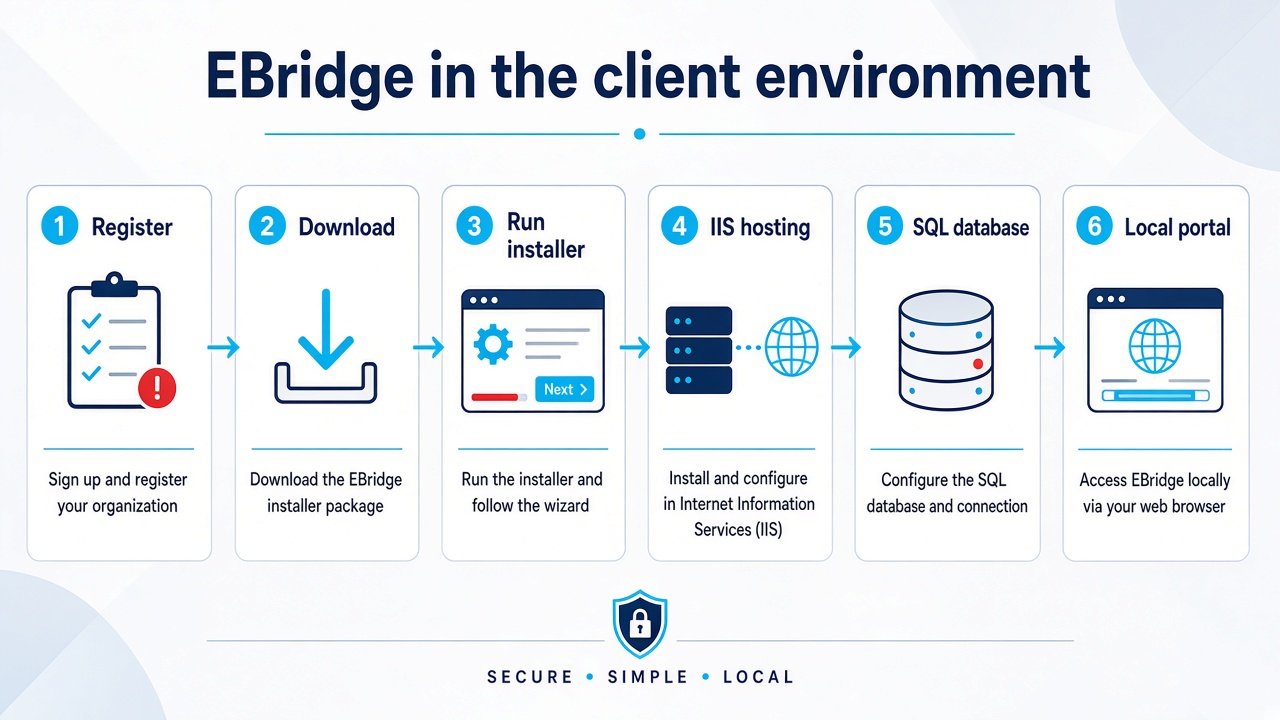
Create an account with a valid phone and email. We issue a 7-day trial key. This public site is only for signup, license, and download.
2
Install in the client environment
The wizard sets up IIS hosting and creates the SQL Server database where EBridge runs. Your invoices and keys are not moved onto our hosting.
3
Connect your application
Your system calls the local EBridge host with an integrator eb_ key. No ZATCA certificates inside your app. Operators use the local portal; developers use the API.
4
EBridge talks to ZATCA
Signing, clearance, reporting, simulation then production — all inside the gateway. Your app receives UUID, hash, and status and finishes the document cycle.
Save a heavy development cost on your side
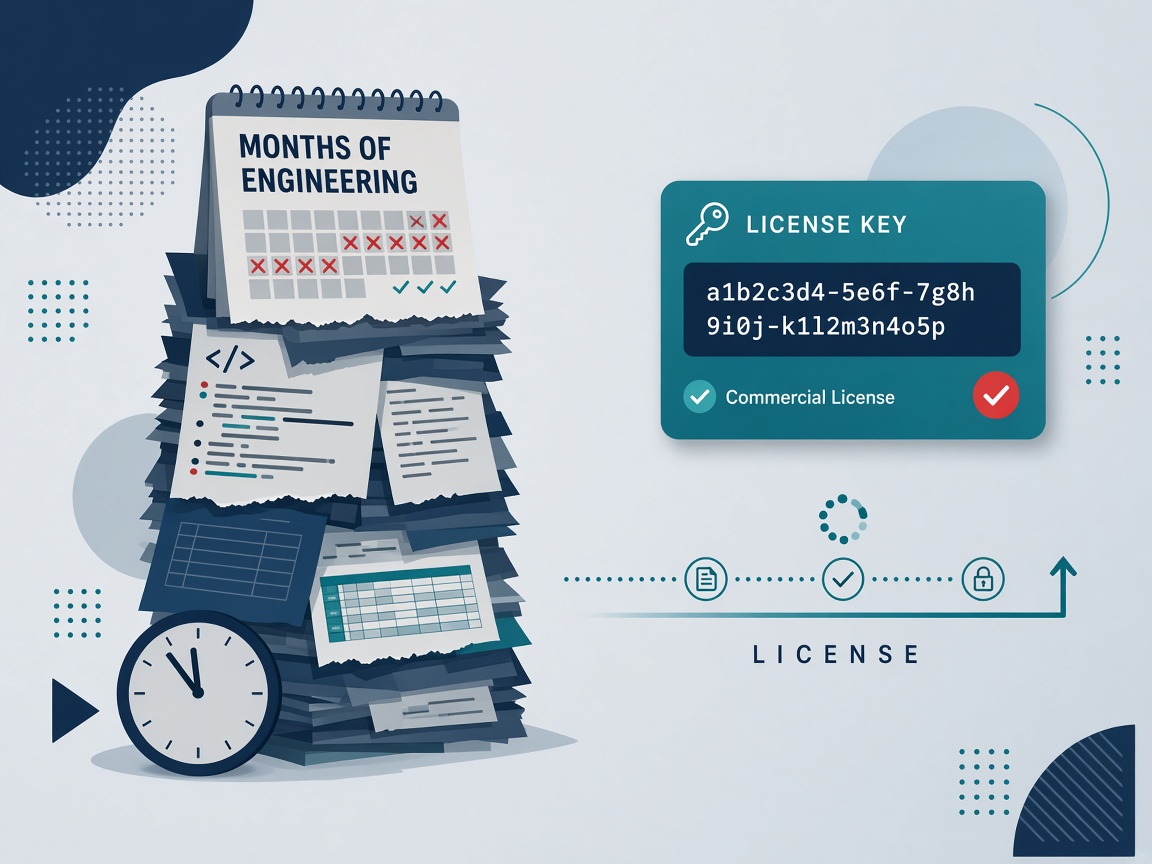
Phase 2 is not “an invoice screen.” It is a long engineering track: certificates, XAdES signing, UBL documents, standard and simplified types, credit and debit notes, retries, duplicate control, simulation vs production, then upkeep every time the Authority changes a rule. That consumes months of developers and testers — before the first live customer.
EBridge turns that into a license plus an API integration. Your team builds what differentiates you: stock, cashier, reports, customer experience. The ZATCA layer is ready, maintained, and isolated from your codebase.
No greenfield Fatoora program (months of effort vs a subscription or license).
One integration for all your customers instead of a ZATCA fork in every deployment.
Installer updates when we ship a release — you do not reinvent signing every quarter.
Lower risk: Authority keys are not spread through a third-party application.
A short walkthrough: account, installer, IIS, SQL, then activation.
Frequently asked questions
Does my application call ZATCA directly?
No. Your app calls EBridge in the client environment with an eb_ key. EBridge owns the ZATCA conversation: signing, clearance, and reporting.
Where are invoices and keys stored?
In the client environment on the SQL Server database the installer creates. This public website does not host your live system.
Why not build ZATCA integration ourselves?
A from-scratch Fatoora stack means certificates, signing, UBL, clearance, reporting, and ongoing upkeep. EBridge covers that with a license and an API instead of a long internal project.
What happens after the trial?
Send an enquiry from the pricing page. After we agree, we email the license key.